
When you're new to crypto, buying your first Bitcoin shouldn't feel like signing a lease in a foreign language. That’s where CoinJar comes in. Founded in 2013 in Melbourne, Australia, CoinJar has spent over a decade building a reputation as one of the easiest, most secure platforms for people who just want to buy, hold, and spend crypto without the noise. But if you're looking to trade futures, use leverage, or swap obscure altcoins, you’ll hit walls fast. This isn’t a platform for day traders. It’s for people who want to get started and stay safe.
What You Get: Simple, Not Sophisticated
CoinJar offers two interfaces: the basic CoinJar app for casual users, and CoinJar Exchange for those ready to trade more actively. Most people start with the main app. It’s clean. No charts screaming at you. No dropdown menus with 50 order types. You pick a coin - Bitcoin, Ethereum, Solana, Dogecoin - tap "Buy," enter your amount, and pay with bank transfer, PayID, or card. That’s it.The platform supports 60+ cryptocurrencies, but it’s selective. You won’t find 1,000 meme coins or obscure DeFi tokens. CoinJar sticks to what’s proven: Bitcoin, Ethereum, Litecoin, Cardano, Polkadot, and a few others with real market caps and regulatory clarity. That’s intentional. It’s not trying to be Binance. It’s trying to be the bank your grandma could use.
Fees: Free Deposits, But Watch the Spots
Fees are where CoinJar makes its money - and where users get surprised. Depositing AUD, EUR, or GBP via bank transfer or PayID? Free. Withdrawing? Also free. That’s rare. Most exchanges charge for moving fiat in and out. CoinJar doesn’t. It’s a big win.But here’s the catch: if you use a credit or debit card, you pay 2%. That’s steep. If you buy $100 worth of Bitcoin with your card, you’re paying $2 just to get started. Use bank transfer instead - it’s instant in Australia via PayID and takes 1-2 days elsewhere.
On the basic CoinJar app, spot buys cost 1%. Instant buys via card? 2%. That’s higher than most competitors. But if you switch to CoinJar Exchange, fees drop to 0.1% per trade - and as low as 0.02% if you trade frequently. The problem? You have to manually move your funds from the basic app to the Exchange. It’s not automatic. You need to understand the difference between the two platforms. Many users don’t, and end up paying 1% when they could be paying 0.1%.
Security: Built Like a Vault
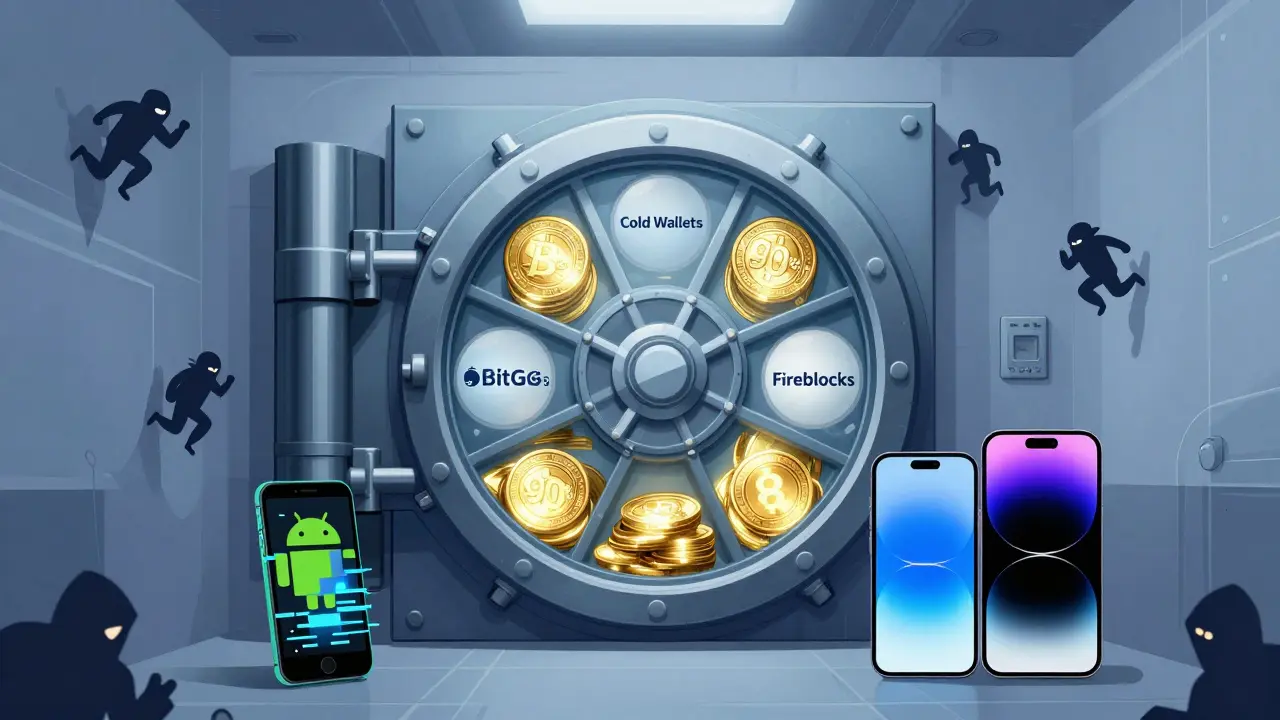
CoinJar’s security setup is one of its strongest selling points. Around 90% of customer funds are stored in offline, hardware-based cold wallets. That means hackers can’t touch them. The rest is kept in hot wallets for quick withdrawals, but even those are protected by multi-signature tech and real-time fraud detection powered by machine learning.The platform partners with BitGo and Fireblocks - two of the most respected names in institutional crypto security. That’s not something a new exchange can fake. CoinJar has been doing this since 2013. It’s been audited. It’s regulated by AUSTRAC in Australia and the FCA in the UK. It’s not just compliant - it’s a model for compliance.
Two-factor authentication is required. Email and SMS alerts trigger for every login and transaction. You can’t even withdraw without confirming via the app. For beginners, this level of protection feels reassuring. For experienced users, it’s just baseline.

Mobile App: iOS vs Android
The CoinJar app is where most users live. It’s simple, reliable, and gets the job done. On iOS, it’s rated 4.8 stars with over 100,000 downloads. People love the clean layout, quick purchases, and smooth performance.On Android? Not so much. The Google Play version has mixed reviews. Users report occasional crashes, slow loading times, and bugs with the crypto card feature. It’s not broken - but it’s not polished. If you’re an Android user, you might want to stick to the web version until updates improve things.
What’s Missing: No Advanced Trading
CoinJar doesn’t offer margin trading. No futures. No stop-loss orders. No limit orders beyond basic buy/sell. No charting tools beyond basic price history. If you’re used to TradingView, Binance, or Kraken, you’ll feel like you’re using a calculator when everyone else has a supercomputer.That’s not a bug - it’s a feature. CoinJar knows most people don’t need these tools. But if you’re serious about trading, this platform will hold you back. You’ll eventually outgrow it. And when you do, moving your crypto off CoinJar isn’t easy. You have to withdraw to an external wallet first, then deposit to another exchange. That means paying network fees and waiting for confirmations. There’s no direct transfer between exchanges.
Customer Support: Helpful, But Not Instant
CoinJar doesn’t offer phone support or live chat. You can only contact them via email or ticket system. Response times vary. For simple questions - like how to link your bank account - you’ll usually get an answer within 24 hours. For complex issues - like a delayed withdrawal or a frozen account - it can take 3-5 business days.Support is available Monday to Friday, 9 AM to 2 AM Australian Eastern Time. That’s great if you’re in Australia or the UK. If you’re in the US or Asia, you’re often waiting overnight. No 24/7 help means no quick fixes during weekend market swings. That’s a real drawback for active users.
CoinJar Mastercard and Crypto Bundles: New Features, Same Philosophy
In recent years, CoinJar added two features that show where it’s headed: the CoinJar Mastercard and crypto bundles.The Mastercard lets you spend your crypto like cash. When you buy coffee, it automatically converts your Bitcoin or Ethereum to AUD at the current rate and charges your card. No need to sell first. It’s convenient - and it’s tied to your CoinJar account. You can’t use it outside the platform.
Crypto bundles are pre-packaged portfolios: "Bitcoin & Ethereum," "Green Energy Coins," "Top 5 Altcoins." They’re designed for people who don’t want to pick coins themselves. It’s like a mutual fund, but for crypto. Simple. Safe. No research needed.
These features aren’t for traders. They’re for people who want crypto in their everyday life - without the complexity.
Who Is CoinJar For?
CoinJar is perfect if:- You’re new to crypto and want to buy your first Bitcoin without panic
- You live in Australia, the UK, or Ireland and want local compliance
- You value security over flashy trading tools
- You prefer free bank deposits and withdrawals
- You don’t need to trade 10 times a day
CoinJar is not for you if:
- You want to trade altcoins like Shiba Inu or Pepe
- You need margin, futures, or advanced order types
- You’re trading large volumes (liquidity is limited)
- You expect 24/7 customer support
- You’re on Android and hate buggy apps
The Bottom Line
CoinJar isn’t the biggest, fastest, or most feature-packed crypto exchange. But it’s one of the most trustworthy. It’s been around since the early days of Bitcoin. It’s regulated. It’s secure. It doesn’t try to be everything to everyone. That’s rare.If you want to buy crypto, hold it, spend it, and sleep well at night - CoinJar is one of the best options in its market. If you want to build a trading empire? Start elsewhere. Use CoinJar to get started. Then move on when you’re ready.
Is CoinJar safe to use?
Yes. CoinJar stores 90% of customer funds in offline cold wallets and uses enterprise-grade security from BitGo and Fireblocks. It’s regulated by AUSTRAC and the FCA, meaning it follows strict financial rules. It’s one of the safest exchanges for beginners.
What are the fees on CoinJar?
Bank transfers and PayID deposits/withdrawals are free. Credit/debit card deposits cost 2%. Spot buys on the basic app cost 1%. On CoinJar Exchange, trades start at 0.1% and drop to 0.02% for active users. Always use bank transfers to avoid high fees.
Can I trade altcoins on CoinJar?
You can trade over 60 cryptocurrencies, but only the major ones: Bitcoin, Ethereum, Solana, Cardano, Polkadot, and a few others. CoinJar avoids speculative, low-market-cap altcoins. If you want to trade Shiba Inu or Dogecoin, you can - but you won’t find hundreds of obscure tokens.
Does CoinJar have a mobile app?
Yes. The iOS app is highly rated with 4.8 stars and 100,000+ downloads. The Android app has mixed reviews due to occasional bugs and slower performance. For Android users, the web version is often more reliable.
Is CoinJar available in the US?
No. CoinJar is only available in 48 countries, including Australia, the UK, Ireland, and parts of Europe. The United States is not supported. US users must use other exchanges like Coinbase or Kraken.
Can I use CoinJar for day trading?
Not really. CoinJar lacks advanced trading tools like limit orders, stop-losses, charting, and margin trading. It’s built for buying and holding, not active trading. High-frequency traders will find it too limited. Use CoinJar Exchange for lower fees, but still expect basic functionality.
How long does verification take?
Basic verification takes minutes. To unlock higher limits or use CoinJar Exchange, you need to submit ID and proof of address. That usually takes 1-3 business days. The process is straightforward but slower than some competitors.
Does CoinJar offer staking or earning interest?
No. CoinJar doesn’t offer staking, yield farming, or interest-bearing accounts. It’s focused on buying, selling, and spending crypto - not earning passive income. If you want to earn interest, you’ll need to move your crypto to a different platform.
Comments
Lauren Bontje
CoinJar? More like CoinJar-NOPE. You call this 'secure'? It doesn't even work in the US, and you're telling me this is the 'best for beginners'? What planet are you on? Coinbase has 10x the coins, 24/7 support, and actually lets you trade without acting like you're buying a loaf of bread. This is crypto for people who think 'HODL' is a yoga pose.
January 18, 2026 at 15:42
Telleen Anderson-Lozano
I appreciate how straightforward this review is-seriously, it’s rare to find someone who doesn’t turn crypto into a Wall Street thriller. I’ve used CoinJar for over two years now, mostly for BTC and ETH, and honestly? It’s been the most stress-free experience I’ve had. No drama, no confusing menus, no ‘did I just lose $500 on a limit order?’ panic. The card feature? Life-changing for coffee runs. I’m not a trader. I’m a person who wants crypto to be part of my life, not my entire identity. And CoinJar lets me do that without screaming at me from every corner of the app.
January 18, 2026 at 20:27
Jill McCollum
OMG YES to the Android app being buggy 😩 I switched to web version and it’s like night and day. Also, the 2% card fee? Brutal. But I get it-they’re not trying to be Binance. I’m a total newbie and I felt safe using this. Plus, the fact that they don’t have 500 meme coins? Kinda refreshing? Like, I don’t need Shiba Inu to feel like I’m part of the future 🤷♀️
January 20, 2026 at 20:15
Stephanie BASILIEN
One must consider the regulatory architecture underpinning CoinJar’s operational framework. The fact that it is sanctioned by AUSTRAC and the FCA is not merely a marketing flourish-it represents a paradigmatic divergence from the anarchic, unregulated exchanges that have repeatedly failed retail investors. The absence of margin trading is not a deficiency; it is a moral imperative. To permit leverage in a volatile asset class is to commodify gambling under the guise of finance. CoinJar, in its restraint, demonstrates a fidelity to fiduciary duty that is, frankly, absent in 98% of its competitors.
January 21, 2026 at 22:48
Bill Sloan
Guys, I just bought my first $50 of ETH on CoinJar last week and I’m already hooked 😍 The app is so smooth on iPhone, and I love that I can just tap and go. No stress, no charts, no drama. I used to overthink everything-now I just buy, hold, and spend with the card. It’s like crypto for humans, not Wall Street bros. Also, free bank transfers? YES PLEASE. 💪
January 22, 2026 at 06:16
Jason Zhang
This review’s basically a love letter to people who don’t know what a blockchain is. Cool. I’m glad CoinJar exists for grandma. But if you’re reading this and you’ve ever looked at a candlestick chart… you’re wasting your time. Move your coins to Kraken or Binance and actually learn how to trade. This platform is a training wheel. And training wheels don’t get you to the Tour de France.
January 23, 2026 at 10:05
Deb Svanefelt
There’s something quietly revolutionary about a platform that doesn’t try to exploit your ignorance. Most exchanges feel like casinos designed by psychologists. CoinJar, by contrast, feels like a library-calm, clear, and intentionally limited. It doesn’t offer staking, futures, or meme coins because it doesn’t want to turn you into a gambler. It wants you to understand value. That’s rare. And in a world where everything is optimized for addiction, maybe that’s the most ethical choice of all.
January 23, 2026 at 12:23
Sarah Baker
You’re not broken if you don’t need to trade 10 times a day. You’re just smart. 💖 I started with CoinJar because I was terrified of losing money-and guess what? I didn’t. I bought Bitcoin, forgot about it for 6 months, and now I’ve got a little crypto cushion. The card? I use it for groceries. The app? Doesn’t crash. The support? Took 2 days but they fixed my issue. This isn’t flashy. But it’s real. And real matters more than hype.
January 23, 2026 at 22:35
Liza Tait-Bailey
Wait so you can't use this in the US? That's kinda wild. I'm in NYC and I've been looking for something simple. Guess I'll stick with Coinbase... but I do love how clean CoinJar looks. Maybe they'll expand one day? 🤞
January 25, 2026 at 09:21